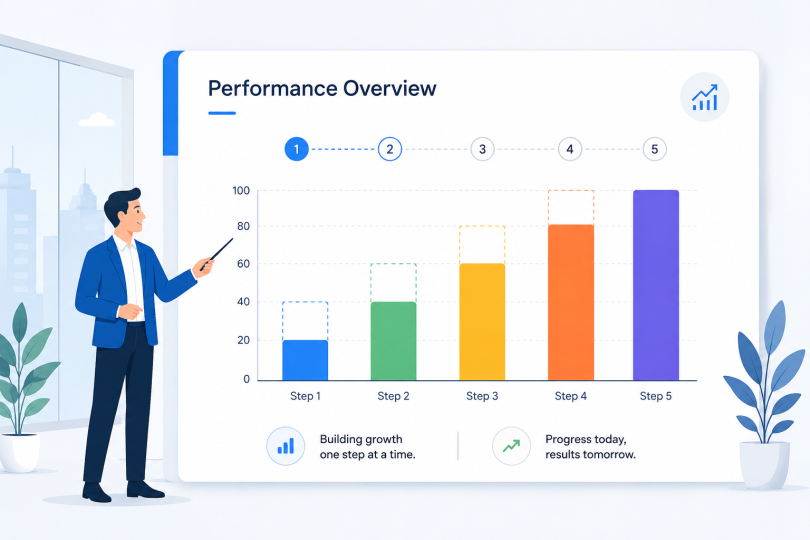

| Quick SummaryAnimation guides attention, improves recall, and makes business presentations more persuasive through purposeful, well-timed motion. Used with restraint, it makes presentations clearer, more engaging, and easier to remember. |
A static slide often forces your audience to read ahead while trying to listen to you at the same time. Animation helps prevent that by revealing information one step at a time and directing attention where it belongs.
This way, your audience is more likely to stay engaged and remember the points that matter most.
That difference can shape the entire presentation. A focused audience is more likely to follow your ideas from start to finish. The sections below explain how animation improves business presentations. They also cover simple ways to use it effectively and common mistakes to avoid.
Table of Contents
What Are Animated Business Presentations?
How Does Animation Improve Business Presentations?
It Captures and Holds Attention
It Boosts Comprehension and Recall
It Makes Your Message More Persuasive
How to Use Animation Effectively in Your Presentations?
What Are Animation Mistakes to Avoid?
What Are Animated Business Presentations?
An animated business presentation presents visual information using motion. When you present with static slides, the whole slide appears on screen at once. An animated presentation, on the other hand, builds that slide step by step.
This can be done through entrance and exit effects, transitions, and short graphics. Your goal in creating an animated presentation is to guide the viewer’s attention. Show them exactly what you want them to see, when you want them to see it.
Animation is essentially a means of controlling the pace of your slideshow. If I display a chart with each individual bar appearing one at a time, my message is likely to be better received. This works better than showing all the bars together at once.
Using good presentation design techniques such as animation helps keep viewers focused. That said, the primary purpose of an animated presentation is not just to add visual appeal.
Presentations are one of the most common smart business tools you own. Each element within an animated presentation should be placed strategically and should serve a specific purpose.
| What Counts as Animation in a Deck? It is purposeful motion (reveals, transitions, and short graphics) used to control pacing and focus, not to decorate slides. |
How Does Animation Improve Business Presentations?
Animation improves a business presentation in three ways. It holds attention, it improves recall, and it makes your message more persuasive.
It Captures and Holds Attention
Motion draws the eye before words do. That is why movement is now standard in business communication. A 2026 Wyzowl survey found that 91% of businesses use video. Wistia reports that 76% of companies publish video every month. Movement also keeps people watching. In the same survey, 82% said video held their audience’s attention longer.
It Boosts Comprehension and Recall
The strongest case for animation is simple and science-backed. People understand and remember it better. Brosnan and Hasso, in a 2025 study, tested this on over 500 adults learning a business topic. Half watched a standard narrated slideshow, while the others saw an animated version.
The animation group scored significantly higher on a comprehension test (3.8 vs. 3.3 out of 5.0), and they still retained that edge a week later. Revealing information step-by-step stops people from feeling overwhelmed, keeping them locked into your pace instead of falling behind.
It Makes Your Message More Persuasive
This clarity makes your pitch much more persuasive, which is exactly what you need when facing clients or a board of directors. The data backs this up too. Wyzowl’s research also found that 96% of people say visual motion helps them understand a product, and 85% have bought something because of a video.
When information is easy to digest, it directly influences decisions. In a boardroom, that difference can be what gets your funding approved.
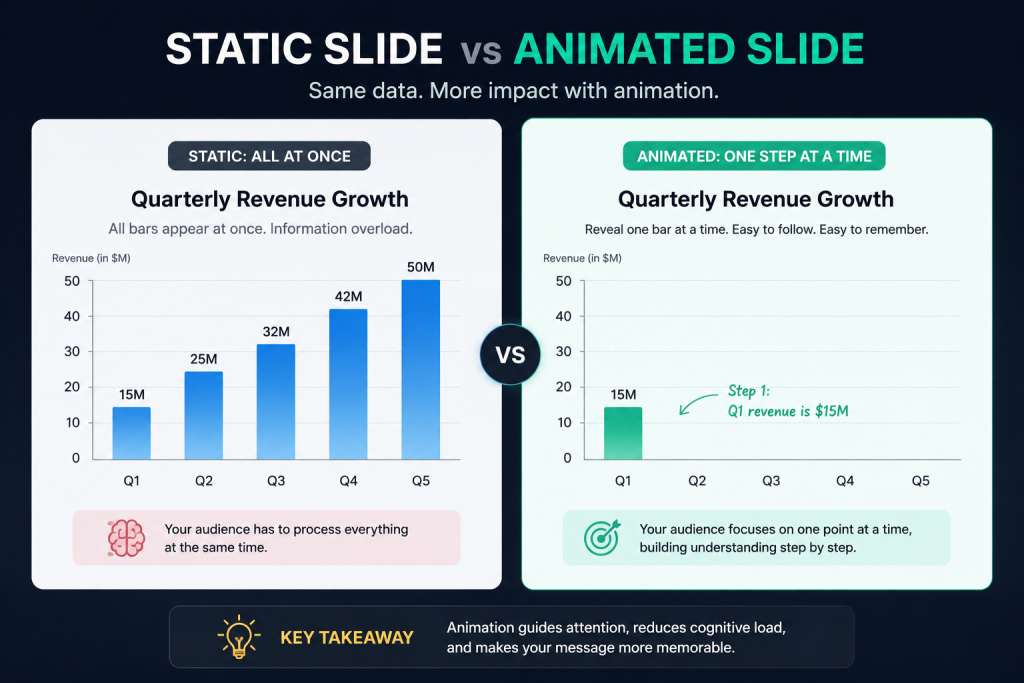
| Why Does Animation Work? It holds attention, lifts comprehension and recall, and strengthens persuasion. That turns passive slides into a message people act on. |
How to Use Animation Effectively in Your Presentations?
Good animation is planned, not sprinkled on at the end. Four moves cover most business decks:
- Reveal in Sync With Your Point: Build lists and data one step at a time. Your audience follows you instead of reading ahead.
- Use the Effects Built Into Your Presentation Software: PowerPoint, Google Slides, and Keynote all include subtle entrance, emphasis, and transition effects. PowerPoint’s Morph and Keynote’s Magic Move are good examples.
- Create Custom Animated Assets When You Need Them: You might want an animated title, a moving logo, or a short clip. A free, browser-based animation maker can handle this. You can animate text, a logo, or a character, then export it as an MP4 or GIF for any slide.
- Match the Effect to the Slide’s Job: Reveal data, show a process, or emphasize one point. Stick to one idea per build.
Strong business presentation design pairs these moves with the right digital tools. That keeps production fast, so you spend your time on the message.
| What’s the Fastest Way to Add Animation?Reveal content in sync with your point, use your tool’s built-in effects, and build custom clips in a free animation maker. |
What Are Animation Mistakes to Avoid?
The fastest way to ruin a good deck is too much motion. Presentation animation should support your point, not fight it. Avoid these common mistakes:
- Overusing Flashy Effects: Subtle fades and reveals beat spinning, bouncing, and flying text.
- Animating Everything: Keep animated segments short. Vidyard found 65% of viewers finish videos under a minute. Only 20% finish ones over 20 minutes.
- Ignoring Accessibility: Some viewers are sensitive to motion. Honor reduced-motion settings, and never put meaning in movement alone.
- Skipping the Test Run: Heavy files and broken effects show up on the day. Check your deck on the presenting device, and see how it looks printed.
Newer AI tools for business can generate motion automatically. The same rule holds for professional presentations: restraint wins.
| What is the Overuse Test?If motion competes with your message instead of guiding it, you have gone too far. Keep effects subtle, short, and tied to one idea per slide. |
FAQ
1. What Is Animation in a Business Presentation?
Animation is purposeful motion in your slides. It includes entrance and exit effects, transitions, and short graphics. It controls pacing and focuses attention on one thing at a time. In short, it is motion with a job to do.
2. How Does Animation Improve a Presentation?
It holds attention, improves comprehension and recall, and makes your message more persuasive. Research shows people remember animated presentations better than a static slideshow. Used with restraint, animation turns passive slides into points that stick.
3. How Much Animation Is Too Much?
Animation is too much when it competes with your message instead of guiding it. Constant transitions and motion on every element tire an audience fast. Keep effects subtle, short, and tied to one idea per slide.
4. What Types of Animation Work Best for Corporate Presentations?
Subtle, functional effects work best. Think simple fades, one-step reveals for lists and data, and clean transitions like Morph or Magic Move. Save bold motion graphics for a title or one key moment. Strong presentation visuals aim for clarity, not spectacle.
5. Do Animations Distract the Audience?
Only when overused. Purposeful animation focuses attention and improves recall. Decorative motion pulls focus away from your point. The difference is intent: animate to clarify, never to impress.
6. How Do You Add Animation to a Presentation?
Use the built-in effects in PowerPoint, Google Slides, or Keynote for reveals and transitions. For custom pieces like an animated logo or title, build a short clip in a free animation maker. Then export it as an MP4 or GIF and place it on the right slide.
Conclusion
Animation earns its place in a business presentation when it does a job. It guides attention, reveals one idea at a time, and helps your audience remember what matters. Start small. Animate one key slide in your next deck. Keep the effects subtle, and match each one to the point it supports. Done with restraint, visual presentations built this way turn a flat set of slides into a story people follow. That is the real return on a little well-placed motion.